Self-hosting Odoo, and the two things most people don't know they can do instead
Running Odoo on your own server is a reasonable decision, and plenty of people make it well. What catches most of them out isn't the setup; it's the part that never finishes. Here's what that actually costs, and the two ways to keep what you like about self-hosting without doing all of it yourself.
Keep your own server, or hand it over · ISO 27001 certified · Support seven days a week · Built by ex-Odoo engineers · Odoo Community & Enterprise
The short answer
Getting Odoo running on a server is the easy part, and if you've done it, you've already done the part that looks hard. What follows is the part nobody warns you about: workers and longpolling tuned properly, updates that don't break a module, backups someone has actually restored, certificates that renew before they expire, and a plan for the morning it won't start.
None of that is difficult. It just never stops.
You don't have to choose between doing all of it and giving up your server.
What self-hosting actually costs
Not the server. The server is cheap, and that's the point: the number on the invoice was never the thing worth measuring.
For most people this lands somewhere between fifteen and twenty-five hours a month once the initial build is done, and the first build itself usually takes considerably longer than expected.
The hours aren't the whole cost either. They're unpredictable, they arrive at inconvenient times, and they come out of whoever is least able to spare them, usually the person who also has a business to run.
And once a year or so, it isn't hours. It's the day the restore doesn't work.
The part that isn't about servers
Most of what goes wrong with a self-hosted Odoo isn't a server problem.
That's why "I know Linux" and "I can run Odoo in production" turn out to be different skills, and why a capable engineer can do everything right and still be caught out. It isn't a gap in ability. It's a gap in a very specific kind of experience, and it's the one thing you can't fix by being good at servers.
Three ways to run Odoo
The choice isn't between doing everything and giving up control. Two of these three leave the server exactly where it is.
|
Do it yourself
Self-hosted
|
Keep your server
Bring Your Own Server
|
Hand it over
Managed
|
|
|---|---|---|---|
| Who owns the machine | You | You | Skysize |
| Who picks the provider and region | You | You | Skysize |
| Who holds the keys to it | You | You; we never hold them | Skysize |
| Odoo installation and configuration | You | Skysize | Skysize |
| Updates and security patching | You | Skysize | Skysize |
| Backups, and testing they restore | You | Skysize | Skysize |
| Monitoring, and restarting Odoo if it stops | You | Skysize | Skysize |
| Staging environments | You build them | Included, unlimited | Included |
| Git deployment and CI/CD | You build it | Included | Included |
| Certificates | You renew them | Automatic | Automatic |
| If the machine itself goes down | You | You | Skysize |
| Someone to ask, seven days a week | Not included | Skysize | Skysize |
| ISO 27001 certified operations | No | Yes | Yes |
The middle column is the one most people don't know exists. You keep the server, the provider and the region you chose. One command connects it, and everything in the "Skysize" rows stops being your job.
If you self-host on purpose, you probably don't want to stop
Most people who run their own Odoo do it for a reason: the data should be somewhere specific, the cloud account is already there, or handing infrastructure to a supplier simply isn't how you work. None of those reasons disappear because the maintenance got tedious.
So don't give them up. Bring Your Own Server keeps the machine yours (your provider, your region, your account) and moves only the Odoo work to us. You install one command. From there, deployments, staging, CI/CD, backups and monitoring are ours.
We never take administrator access to your machine, and we never hold a root password or key to it. The agent does the Odoo work and nothing else. If you left tomorrow, you'd still have the server, the database and every backup; they were never anywhere else.
See how bring-your-own-server works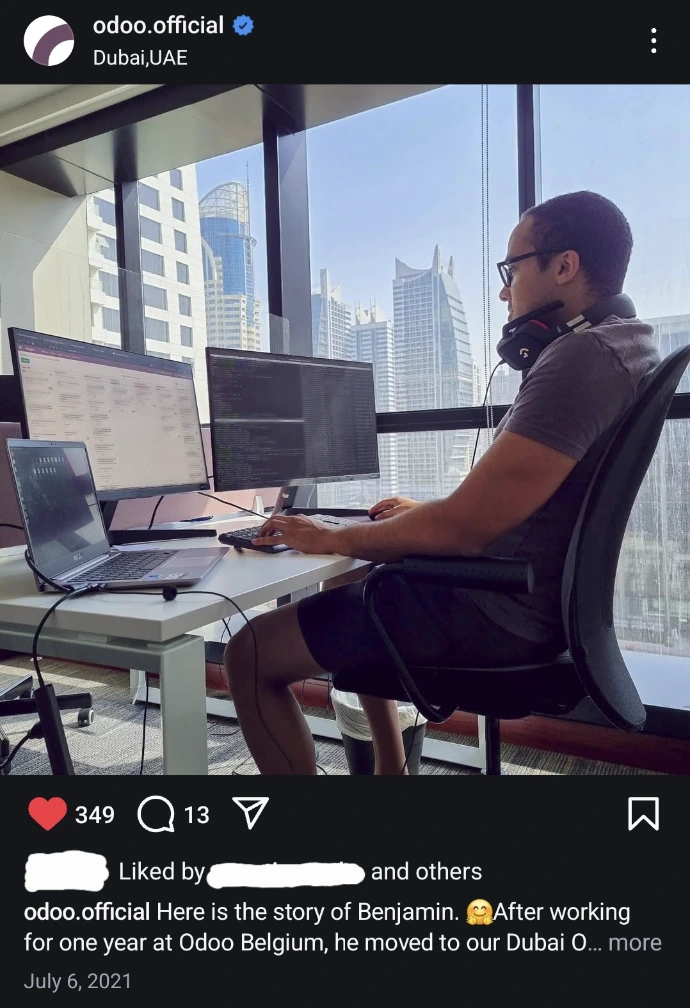
Founded by the former Head of Technical Consultancy at Odoo Dubai.
Who you'd be handing it to
Skysize was founded by the former Head of Technical Consultancy at Odoo Dubai, alongside a co-founder who also worked at Odoo. Odoo hosting is the whole business, not a side product.
So the questions that take you an evening of searching are the ones this team answered inside Odoo, on other people's production systems, for years. Someone is there seven days a week, including public holidays.
We're also ISO 27001 certified as a company, audited and renewed by audit, which matters the day a client, an auditor or an insurer asks how your ERP is run.
See our certificate, scope and auditor at trust.skysize.ioWhere do you want to end up?
Not sure which? That's the normal answer, and it's a short conversation.
Moving an existing Odoo across
You already have the two things that matter: a working database and a filestore. Moving means bringing them onto a connected server, yours or ours, and testing the result before anything changes for your users.
We do this with you, on a call, rather than handing you a guide. Custom modules come across; we look at them with you first if there's anything unusual. Nothing is switched over until it's been tested.
Talk to us about migratingQuestions self-hosters actually ask
You were right to want control. You don't have to do all of it.
Keep your server and hand over the Odoo work, or hand over the whole thing. Either way it's run by the engineers who led Odoo's technical consultancy, monitored, backed up, and answered seven days a week.
Keep your own server, or hand it over · ISO 27001 certified · Support seven days a week · Community & Enterprise · Backups downloadable at any time